What is a decision log?
A decision log is a running record of the significant decisions an organisation makes. Each entry captures what was decided, who decided it, why, what alternatives were rejected, and when. It is the difference between a company that remembers and one that re-litigates.
The definition
A decision log is also called a decision register. At minimum, a decision log is a chronological list of decisions with enough context that someone who wasn’t in the room can understand each one later. It answers four questions for every entry: what was decided, who made and approved the call, why it was made (including what was considered and rejected), and when it takes effect.
Engineering teams have kept a narrow version of this for years as Architecture Decision Records (ADRs). A decision log generalises the idea to every kind of organisational decision (vendor choices, pricing changes, policy calls, hiring structures, build-vs-buy).
Why keep one
- The why survives the people. Teams change. Without a log, the reasoning leaves with whoever made the call. The next person either guesses or re-litigates.
- Decisions stop being re-made. “Didn’t we already try this?” has an answer, with the original reasoning attached.
- Onboarding compresses. A new lead can read the last year of decisions instead of reconstructing them from meeting archaeology.
- Audits get cheaper. When a reviewer asks who approved something and on what basis, you produce a record instead of a search party.
What to capture per entry
| Field | Why it matters |
|---|---|
| Title & ID | One line, findable later. An ID makes decisions citable (“per D-214…”). |
| Status | Draft, in review, approved, superseded. A decision’s life doesn’t end at approval. |
| The decision itself | The call, in plain language. Written so it can be acted on without the meeting. |
| Context / why now | What forced the decision at this moment. This is the field people miss most later. |
| Alternatives considered | What was rejected and why. Prevents the rejected option being “discovered” again next year. |
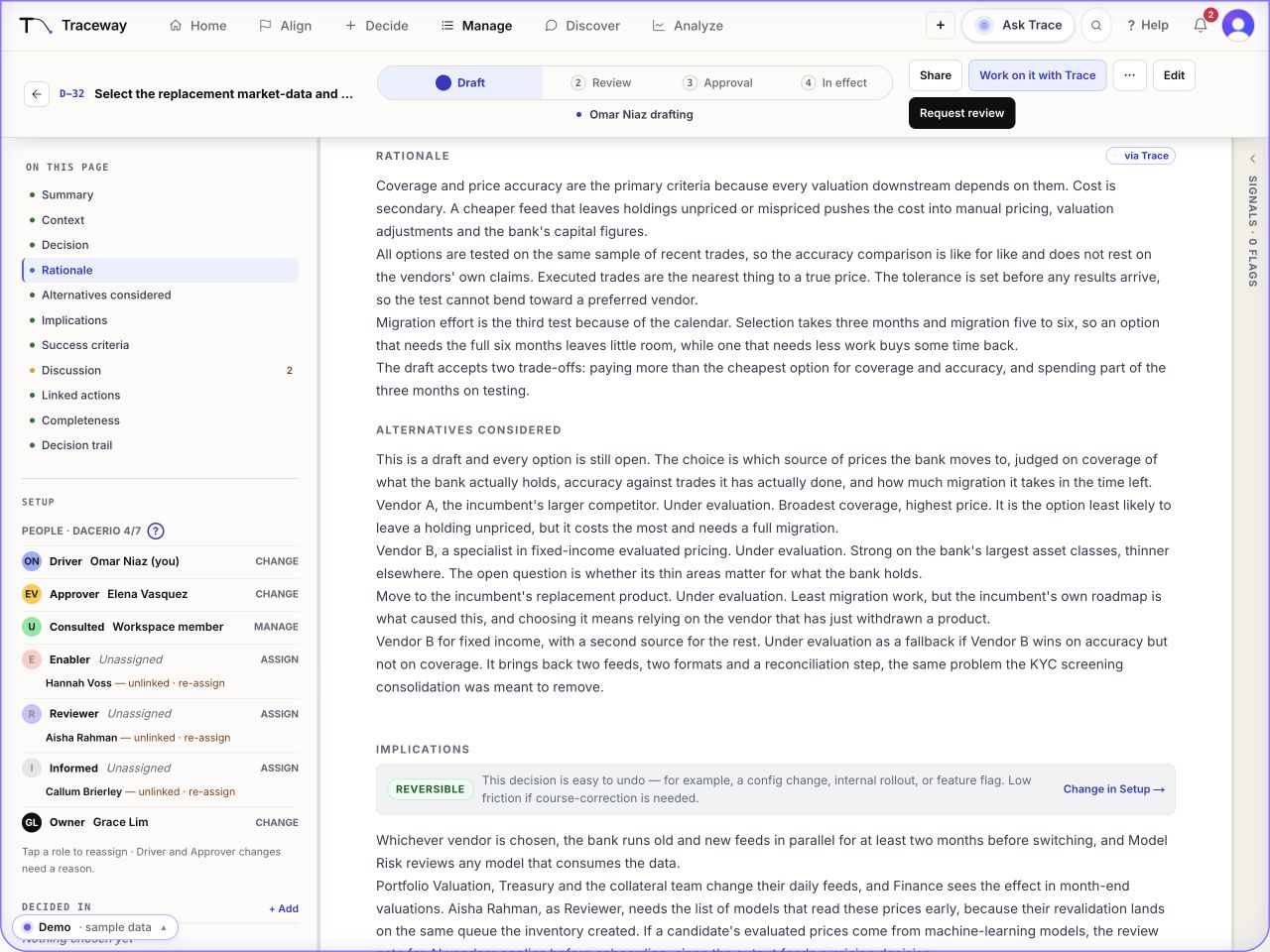
| Roles | Who drove it, who approved it, who was consulted. Frameworks like RACI, DACI, or RAPID name these; the log records them. |
| Date & review date | When it took effect, and when it should be revisited if it was a “for now” call. |
| Links | The strategy it serves, the work it triggers, the records it touches. |
Want the full field-by-field version? See our decision record template.
Where decision logs fail
- No owner. A log that everyone may edit and no one must maintain decays in a quarter.
- No enforcement. A spreadsheet can’t require an approver to actually approve. Entries say “decided” without anyone accountable having signed.
- No integrity. Docs are editable after the fact, which is exactly what an auditor will ask about.
- No connection. A standalone list can’t tell you what a decision touches. Not the strategy above it, and not the work below it.
- Capture friction. If writing an entry takes longer than the meeting, entries stop being written.
Do you need separate decision register software?
Start with a decision that crosses your document, risk and portfolio systems, such as a supplier exception. Can a reviewer who missed the meeting find the approved version, its rationale and alternatives, the authority behind each sign-off, any conditions still open, and the work needing review? Keep the evidence in the systems responsible for it and link it to the decision.
Use the decision register workbook to try that record in your current workflow. Record the time to retrieve the evidence, the updates people must repeat, and any access or history gaps. Compare those findings with the same decision in a Traceway demo. A separate register earns its place when it gives people a maintained view across those records and closes a specific gap worth the upkeep. If your current workflow already meets the requirements, the test should make that clear.
Evaluate decision log software with one real decision
Use a recent vendor renewal, architecture choice, or policy change. Start with the decision record template, then check whether you can follow the same decision from its reasoning through approval to delivery. For a comparison of dedicated products and workflows in an existing stack, see our decision record and approval software shortlist.
Illustrative example (fictional): a vendor renewal
| Record field | Illustrative entry |
|---|---|
| Decision | Renew the current provider for one year. |
| Reason | A migration would put a committed delivery date at risk. |
| Alternative rejected | Switch providers now; revisit that option before the next renewal. |
| Approval evidence | Renewal review note, item 4 (12 June): the procurement lead approved version 1 of the one-year renewal. The sign-off covers that term and the recorded delivery risk. |
| Linked work | Delivery goal: keep the committed release date. Follow-up: the delivery owner will assess migration readiness before the next renewal. |
These entries are illustrative. The fictional approval-history worked example shows how to record the version covered by each sign-off.
In a software evaluation, ask to see three things:
- The original rationale and rejected alternative alongside the decision.
- The approval evidence and attributed change history.
- The connection from the decision to its goal and delivery work.
Traceway™ brings structured decision records, approval routing, a tamper-evident history, and links to strategy and work into one workflow. Explore Decision records, then use a decision like this as the starting point for your demo.
Traceway is a platform for recording and approving business decisions. When a decision changes, its owners can see which commitments to revisit.
Stop losing the why.
Traceway is the system of record for decisions: AI capture, real governance, an audit-grade trail, and a chain from strategy to the work.
Book a demo